본문으로 건너뛰기

Terminal

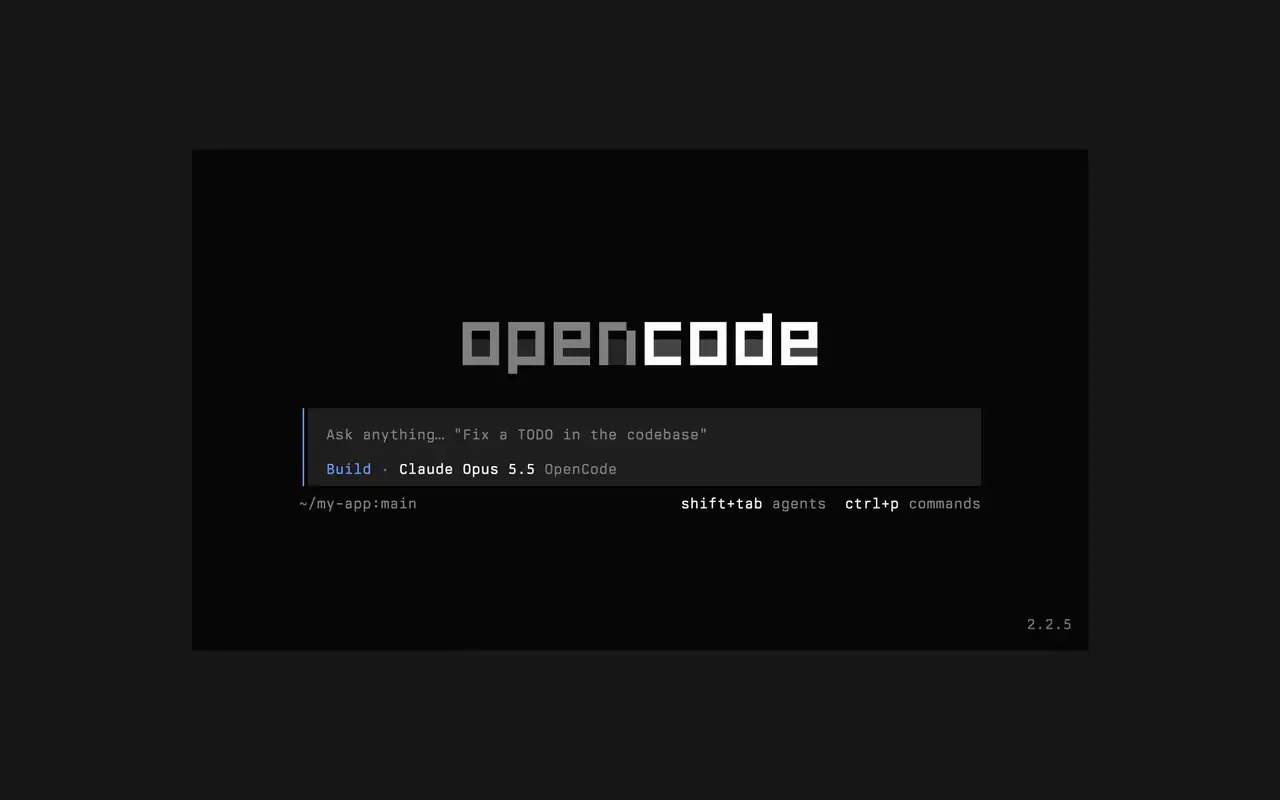
어떤 셸, 에디터, 원격 서버에서도 동작하는 빠른 터미널 UI입니다. 원하는 작업을 일상적인 말로 설명하고 변경 사항을 실시간으로 diff에서 확인하세요. 자동으로 실행할 명령어도 직접 정할 수 있습니다.

기능

일상 언어로 요청

원하는 작업을 입력하면 에이전트가 진행하면서 계획을 보여 줍니다.

실행할 것만 승인

변경 사항은 diff로 표시되며, 명령어는 승인한 뒤에만 실행됩니다.

내 취향대로

키 한 번으로 기본 테마, tokyonight 등 원하는 테마로 전환하세요.

Mini

opencode mini를 실행하면 답변이 내 스크롤백에 출력됩니다.

  • 모든 터미널어떤 셸, 에디터의 터미널, 원격 서버에서도 동작합니다.
  • 타임라인 속 diff에이전트가 편집할 때마다 타임라인에 diff로 표시됩니다.
  • 나중에 이어 하기-c로 마지막 세션을, -s로 원하는 세션을 이어 가세요.
  • 일회성 실행opencode run은 메시지 하나를 보내고 답변을 출력합니다.
  • 에이전트와 명령어shift+tab으로 에이전트를 전환하고 ctrl+p로 전체 명령어 목록을 여세요.
  • 자동 승인--auto로 실행하면 거부하지 않은 모든 작업을 허용합니다.
  • 모든 서버--server로 URL을 지정해 OpenCode 서버에 연결하세요.
  • 사용 통계opencode stats는 공유할 수 있는 사용 통계를 보여 줍니다.

  • curlcurl -fsSL https://opencode.ai/v2/install | bash
  • npmnpm install -g @opencode/cli
  • bunbun install -g --trust @opencode/cli
  • brewbrew install anomalyco/tap/opencode-v2
  • paruparu -S opencode-beta

변경 내역

  1. v2.4.2

    The model picker stays responsive with large catalogs, such as OpenRouter's

    v2.4.2의 하이라이트 모두 보기

    개선 사항

    • TerminalThe goal dialog scrolls when the goal is long.#65906
    • TerminalUpdated OpenTUI to 0.9.9.#65919

    수정 사항

    • TerminalFixed /models showing only free models when the TUI opened a session in another directory.#66424
    • TerminalFixed type-to-filter in Message Actions.#65903
    • TerminalFixed removing theme from config not switching back to the default theme.#65925
    • TerminalFixed quick successive settings changes overwriting each other.#65761
    1개 더 보기 수정 사항
  2. v2.4.1

    Config-Only Providers Show Their Models

    Providers you set up only in your config, such as Ollama, now show their models in /models without a /connect login.#65793

    v2.4.1의 하이라이트 모두 보기

    개선 사항

    • Core, Terminal, DesktopWith experimental.model_speeds enabled, model service tiers are exposed as remembered speeds instead of separate model-picker entries.#65749
  3. v2.4.0

    New TUI Look

    The TUI's new designs are on by default, and the opencode theme is the new one. Pick opencode-classic in Theme to keep the previous colors.#64988

    v2.4.0의 하이라이트 모두 보기

    개선 사항

    • Terminal/login and /auth open the same dialog as /connect, which now lists a single OpenCode entry that includes OpenCode Go models.#65265#65466
    • TerminalPressing ↓ opens the picker on the first tab with something running, the same tab that clicking the footer opens.#64972
    • TerminalText prompt dialogs such as rename session, /btw, worktree names and connect forms end with a Submit button, and prompt and export dialogs have tighter spacing.#64944
    • TerminalThe opencode theme's light mode uses lighter grays for the prompt box, selected tabs and hovered rows.#64962

    수정 사항

    • TerminalFixed connect forms built from integration fields, such as the Azure resource name, showing an empty row between the title and the input.#64944
    • TerminalFixed list dialogs ending with two blank rows, and the Manage workspaces footer not staying at the bottom.#64983
    • TerminalFixed long dialog lists replacing their last visible row with a stray ….#64934
    • TerminalFixed the selection bar of a delete-confirmation row staying blue instead of red.#64936
    1개 더 보기 수정 사항
전체 업데이트 보기